Shop pricing and demand: Fair, High, Low, Prestige, and Comfort
Last reviewed:
Fell and Sell player-set pricing responds to supply, demand, prestige, and decoration bonuses.
More context
The Fair price mode fits neutral demand, the High price mode fits high Prestige plus high decoration bonus, and the Low price mode fits low Prestige plus slow-moving stock. The first-cycle move is to bank the first full haul before any sale, then price at Fair with Prestige still at zero. Adjust rather than set once.
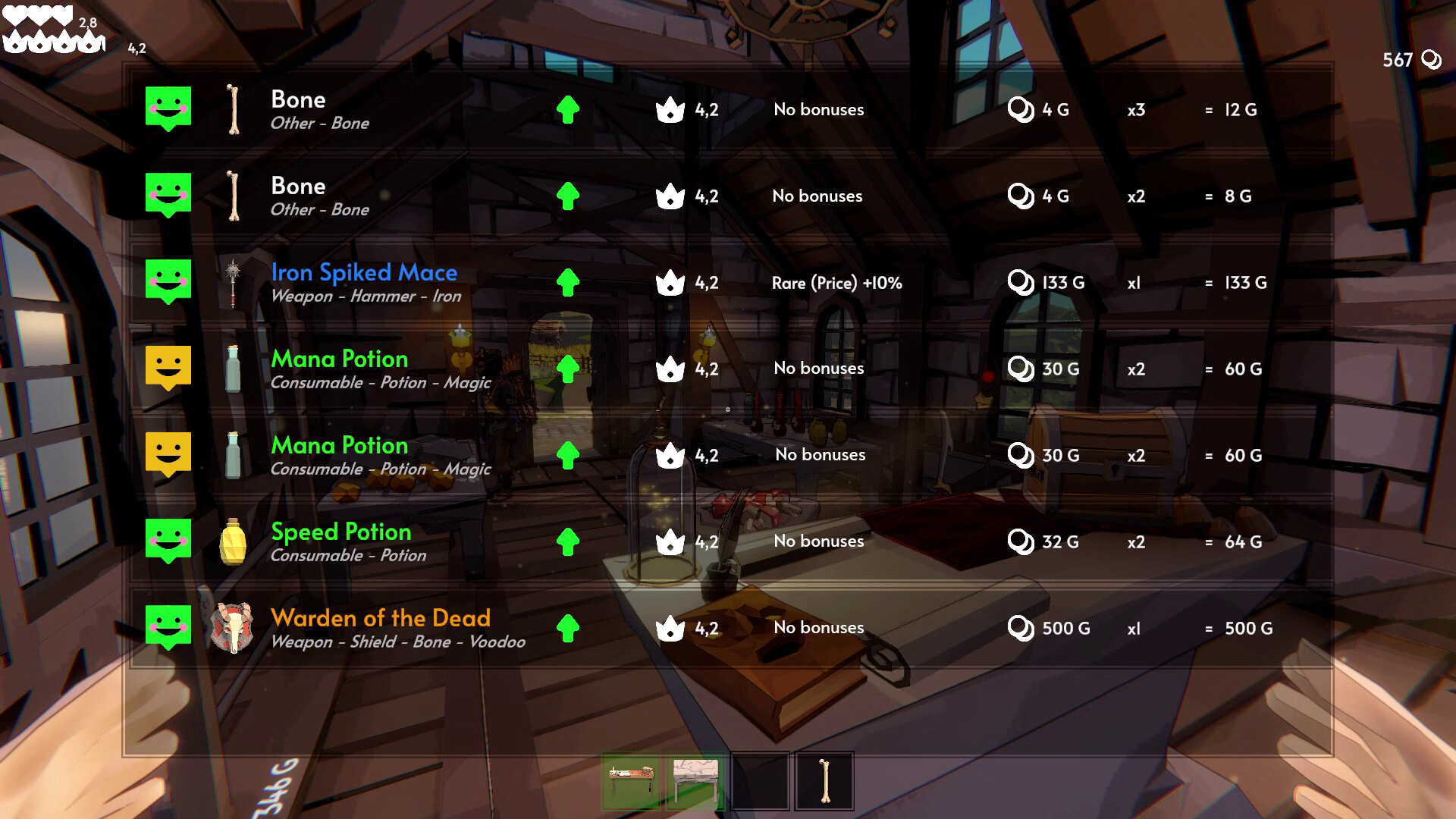
How pricing responds to supply and demand
Fell and Sell pricing responds to supply and demand on a per-item basis. High supply and low demand push the price floor down; low supply and high demand pull the price ceiling up. The official Steam feature list confirms that player-set pricing responds to supply, demand, prestige, and decoration bonuses, so the pricing system reads the shop's current state before settling on a price ceiling. The supply-and-demand framing is attributed to guide sources.
The Fair, High, and Low price modes and when each applies
The Fair price mode fits neutral demand and a moderate Prestige; the High price mode fits high Prestige plus a strong decoration bonus; the Low price mode fits slow-moving stock plus low Prestige. The mode list and the per-mode framing are attributed to guide sources.
What Prestige is and how it changes customer behaviour
Prestige is a shop-level ranking; higher Prestige customers accept higher prices and the shop's price ceiling rises with Prestige. Prestige rises as the shop sells consistently and falls when slow-moving stock piles up. The Prestige framing and the customer-behaviour framing are attributed to guide sources; the official Steam feature list confirms that player-set pricing responds to Prestige.
Comfort and Prestige: two parallel chains, not one combined chain
Comfort and Prestige are separate Level 1 to Level 10 chains, not a single combined chain. Comfort climbs through decoration-driven shop progression (furniture tiers rated S combat buffs, A Prestige-Building, and B Situational Investments by the community wiki); Prestige climbs through commercial-strength progression (consistent sales, fast-moving stock, and a price ceiling that supports the High mode). The session-planning rule is to advance both chains in parallel: every furniture purchase that lands on an S combat-buff piece advances Comfort through the decoration side, while the same cycle's shop sales advance Prestige through the commercial side. See /achievements for the dual-chain ledger entries.
Fell and Sell on Steam (AppID 4627110)Official store listing with release status, system requirements, and feature list.Worldeka Fell and Sell store strategy 2026Guide source for attributed pricing, demand, and Prestige mechanics.Fell and Sell community wikiCommunity wiki used for attributed dungeon, crafting, shop, and reinvestment loop detail.
How decoration bonuses feed the price ceiling
Decoration bonuses raise the price ceiling by signalling a higher-tier shop to customers. The decoration bonus and the price ceiling rise together; a shop with a strong decoration bonus can hold a higher price on the same item than a shop with no decoration bonus. The framing is attributed to guide sources; the existence of decoration bonuses feeding the price ceiling is part of the official Steam feature list.
Testing and adjusting prices instead of setting once
Pricing is a recurring decision, not a one-time choice. Set a starting price, watch how the stock clears, and adjust. Slow-moving stock at the recommended price should be discounted or held; stock that clears too fast can be repriced upward as long as Prestige and the decoration bonus support it. The test-and-adjust framing is attributed to guide sources.
First-cycle pricing: bank first, then Fair at zero Prestige
The first cycle pricing move is to bank the first full haul before any sale and then set Fair prices at zero Prestige. The Worldeka beginner guide recommends banking the first full haul before any sale because selling a haul before the shop surface has a stable Prestige bracket turns the shop into a discount outlet on day one. With the haul banked and Prestige at zero, the Fair price mode is the only mode that holds the price ceiling; High pricing fails because Prestige has not yet risen, and Low pricing trains customers to expect discounts. The first-cycle pricing sequence is bank first, then Fair at zero Prestige, then adjust upward only after Prestige supports it. See /shop/layout-and-furniture-buffs for the same-cycle furniture purchase and /dungeons/quest-board for the same-cycle Quest Board turn-in that completes the first profitable cycle.
Fell and Sell on Steam (AppID 4627110)Official store listing with release status, system requirements, and feature list.Worldeka Fell and Sell beginner guideGuide source for attributed dungeon combat, early-run, and shop basics.Worldeka Fell and Sell store strategy 2026Guide source for attributed pricing, demand, and Prestige mechanics.
Reference notes
- Pricing input 1
- Supply
- Pricing input 2
- Demand
- Pricing input 3
- Prestige
- Pricing input 4
- Decoration bonus
- Price modes
- Fair, High, Low
- First-cycle price
- Fair at zero Prestige after banking the haul
- Source tier
- Steam feature list + guide attribution
Questions & answers
When should I use High versus Low price mode?
Use High when Prestige and decoration bonus support a higher price ceiling. Use Low when slow-moving stock piles up at the recommended price and Prestige is low. Use Fair in between.
What is Prestige and how does it change pricing?
Prestige is a shop-level ranking. Higher Prestige customers accept higher prices and the price ceiling rises with Prestige. Prestige rises as the shop sells consistently and falls when slow-moving stock piles up.
What is the right first-cycle pricing move in Fell and Sell?
Bank the first full haul before any sale, then set Fair prices with Prestige still at zero. High pricing fails because Prestige has not yet risen, and Low pricing trains customers to expect discounts. Adjust upward only after Prestige supports it.